 FJELIA
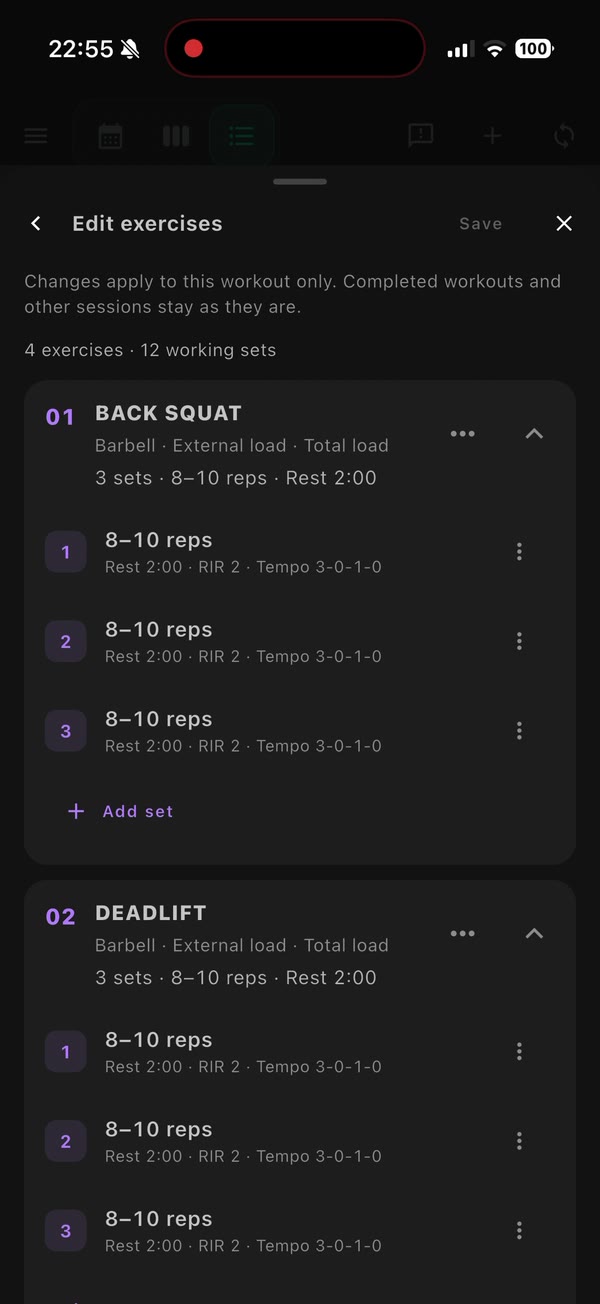
01 / REAL APP WALKTHROUGH
Build a strength session
Edit exercises and configure sets, reps, load, rest and effort for each set.
Training and health in one place.
Plan around your races. Understand your recovery. Ask your AI coach.
iPhone beta · AI is optional · How to install
 Scan with your iPhone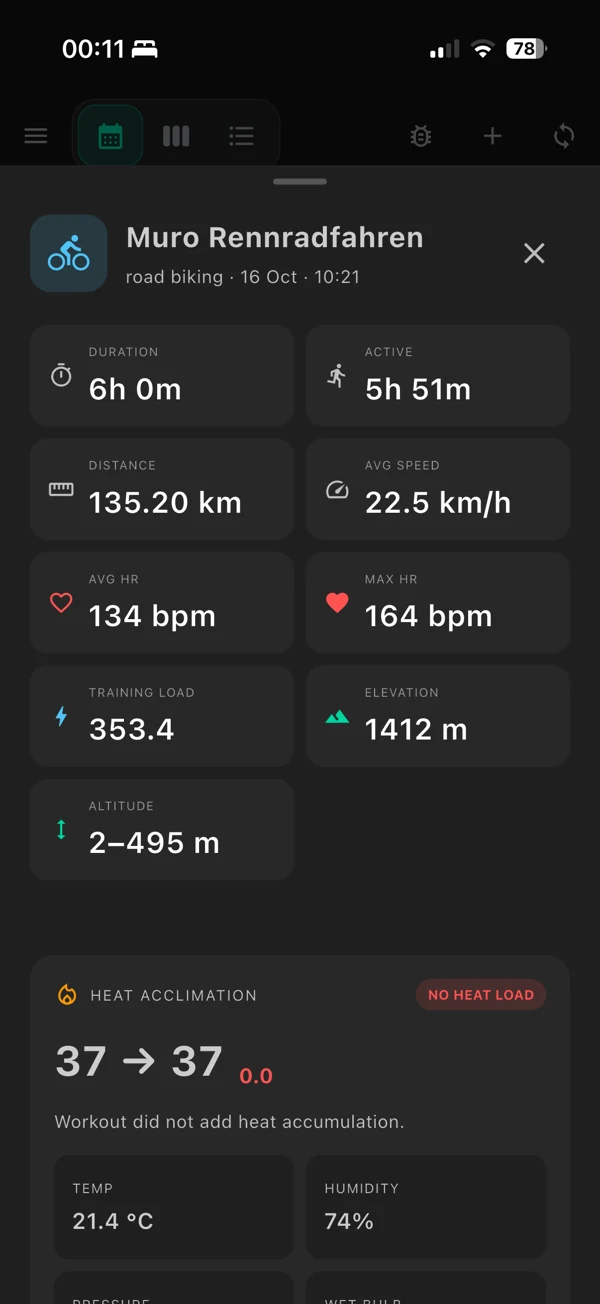
Set priorities across your races.
Data from your devices, in one view.
Your goals, your recovery and your progress, connected.
Training plan
A marathon, a cycling event, a trail race. Give each a priority and build a season around your history and available time.
A, B and C goals give each race its place in the season.
Your sports, weekly hours and rest days shape the plan.
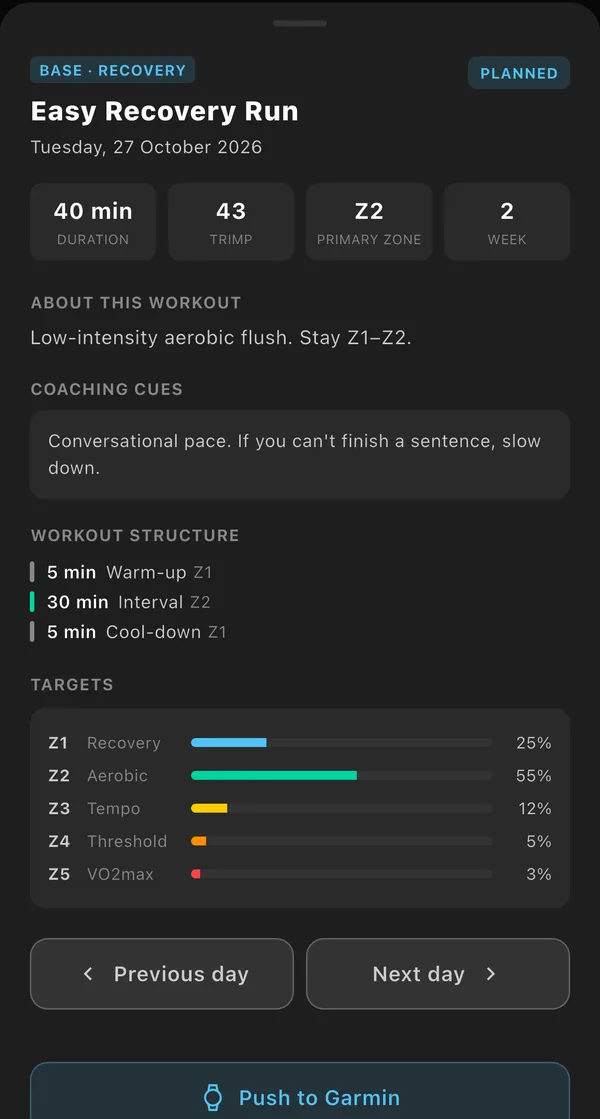
Move a workout or mark it skipped. Your choices stay in the plan.

Your planned week, with running, cycling, strength, rest days and multiple sessions on the same day.
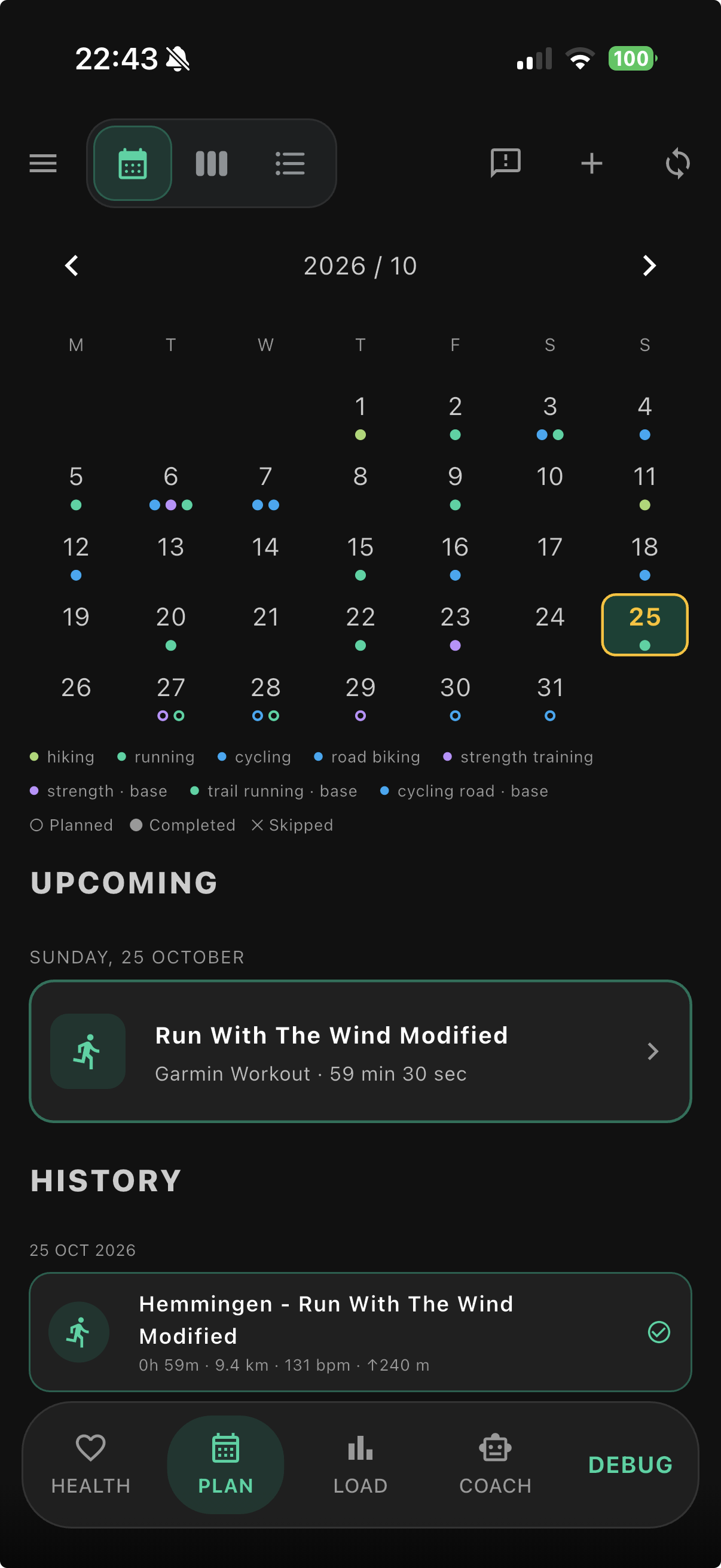
A month of training, with sport colours and clear planned and completed markers.
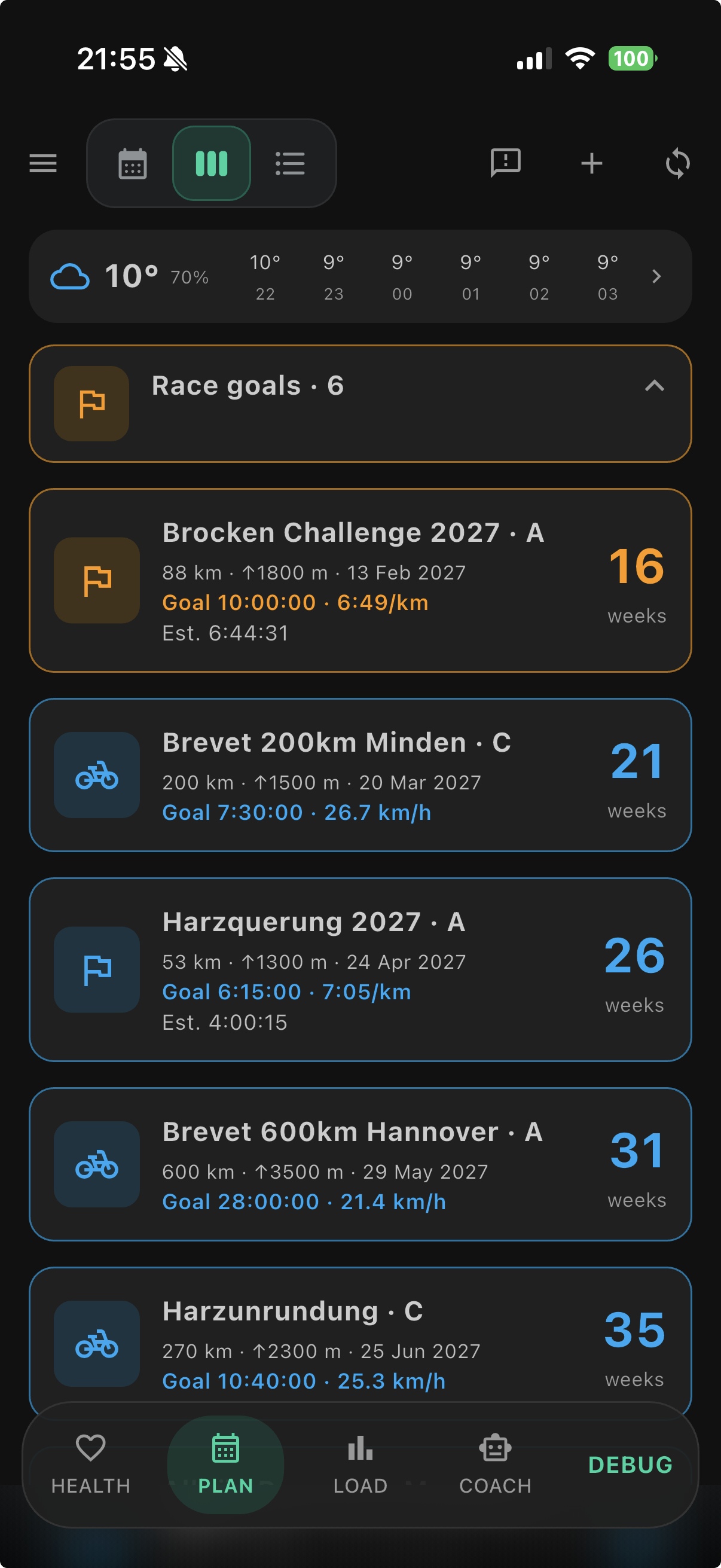
Your races with priorities, distances, elevation, dates, target times and countdowns.
Real app screenshots. Select a screen to enlarge.
A look inside the app
Plan strength sessions, log each set in Gym mode, and prepare nutrition for the workout ahead.
01 / REAL APP WALKTHROUGH
Edit exercises and configure sets, reps, load, rest and effort for each set.
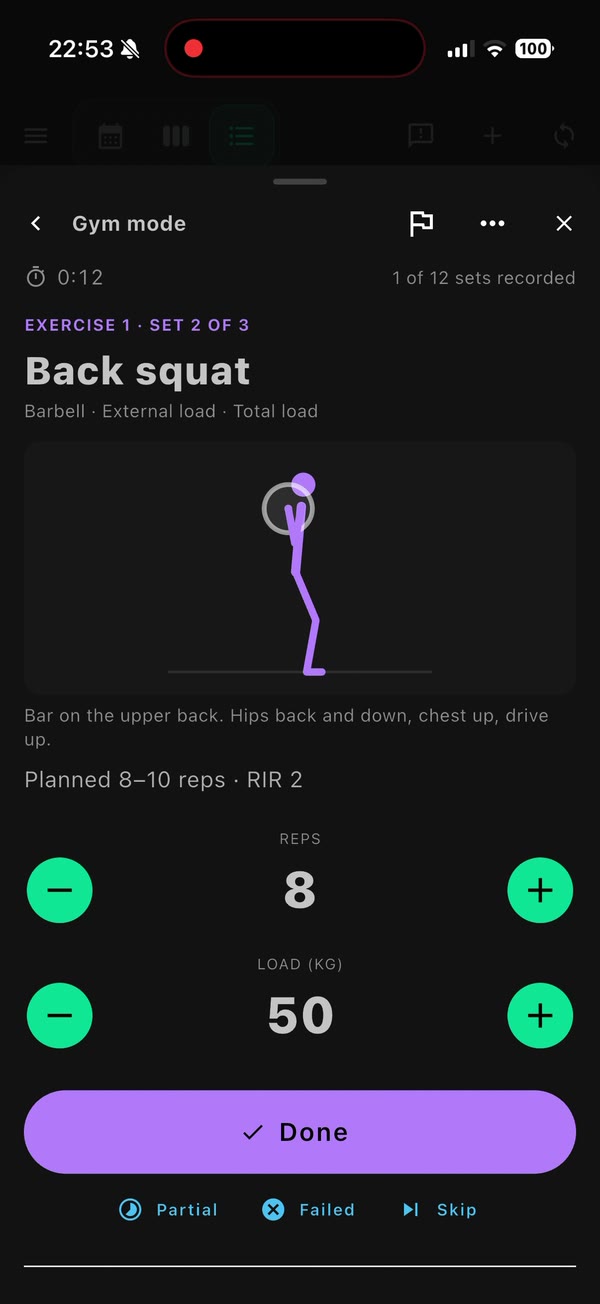
02 / REAL APP WALKTHROUGH
Record reps and load, mark a set complete, and use the built-in rest timer.
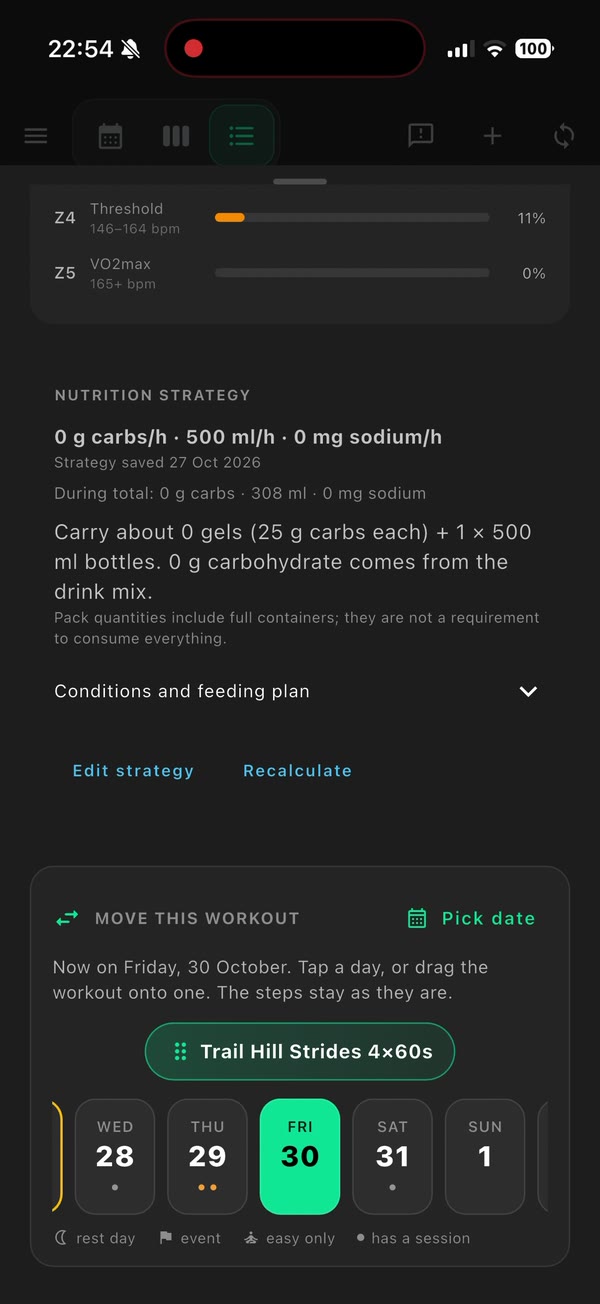
03 / REAL APP WALKTHROUGH
Set carb, fluid and sodium targets, then log what you actually took in.
For linked sessions, compare planned and completed sets. Strength details show training volume and estimate 1RM only for eligible loaded sets (1–10 reps).
Training-load and heart-rate/zone views use recorded activity data; they do not infer cardiovascular load from lifting volume. Review load-increase suggestions after two comparable qualifying sessions.
Swipe to explore the other walkthroughs.
Edited screen recordings from the app. Videos play silently and loop automatically while visible. Available features depend on your connected devices.
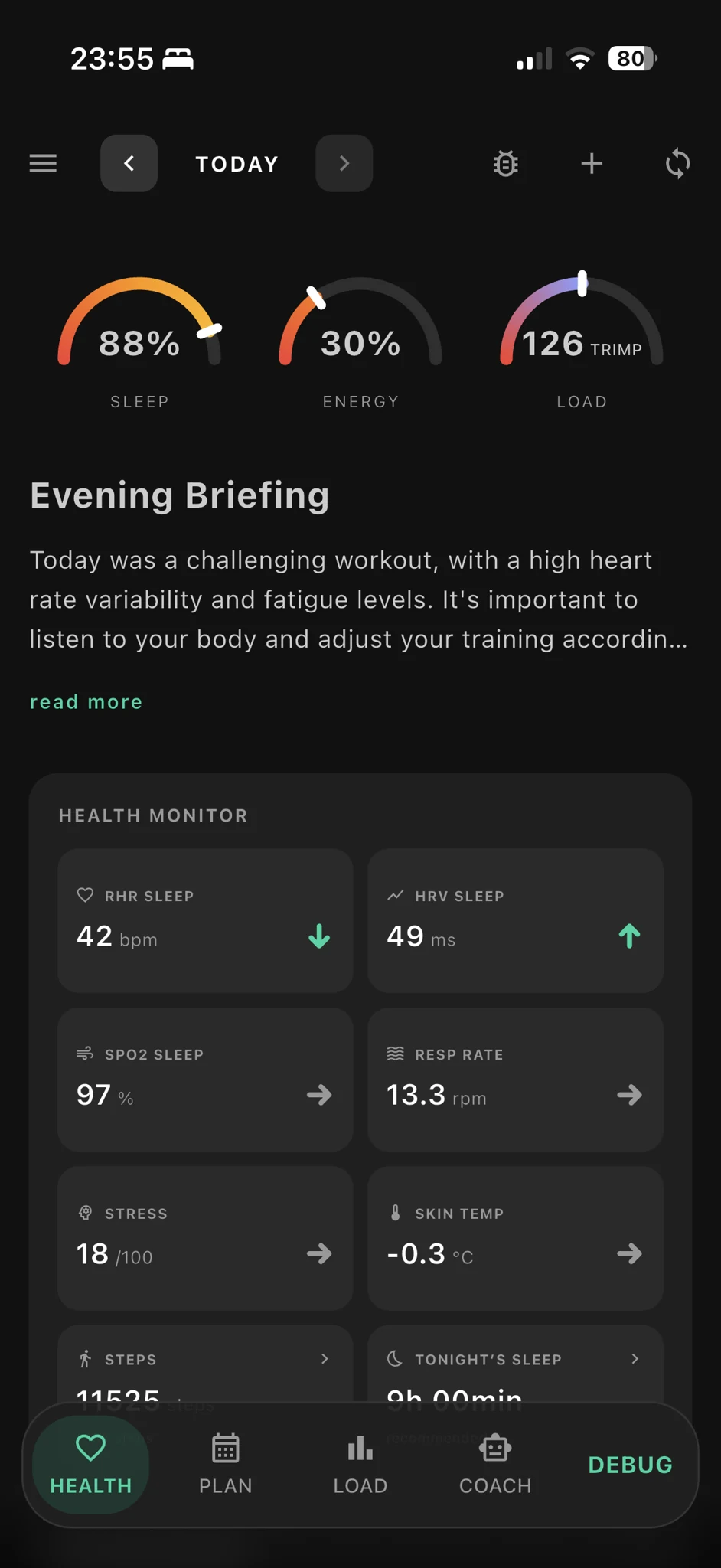
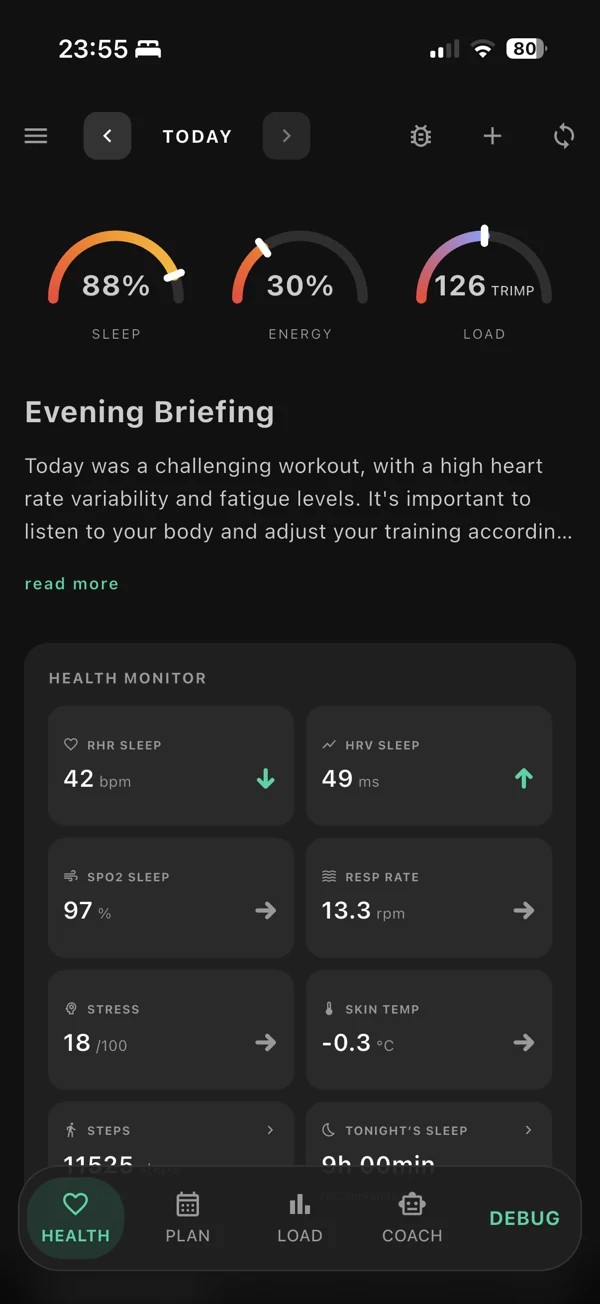
Sleep, energy, training load and your health monitor.
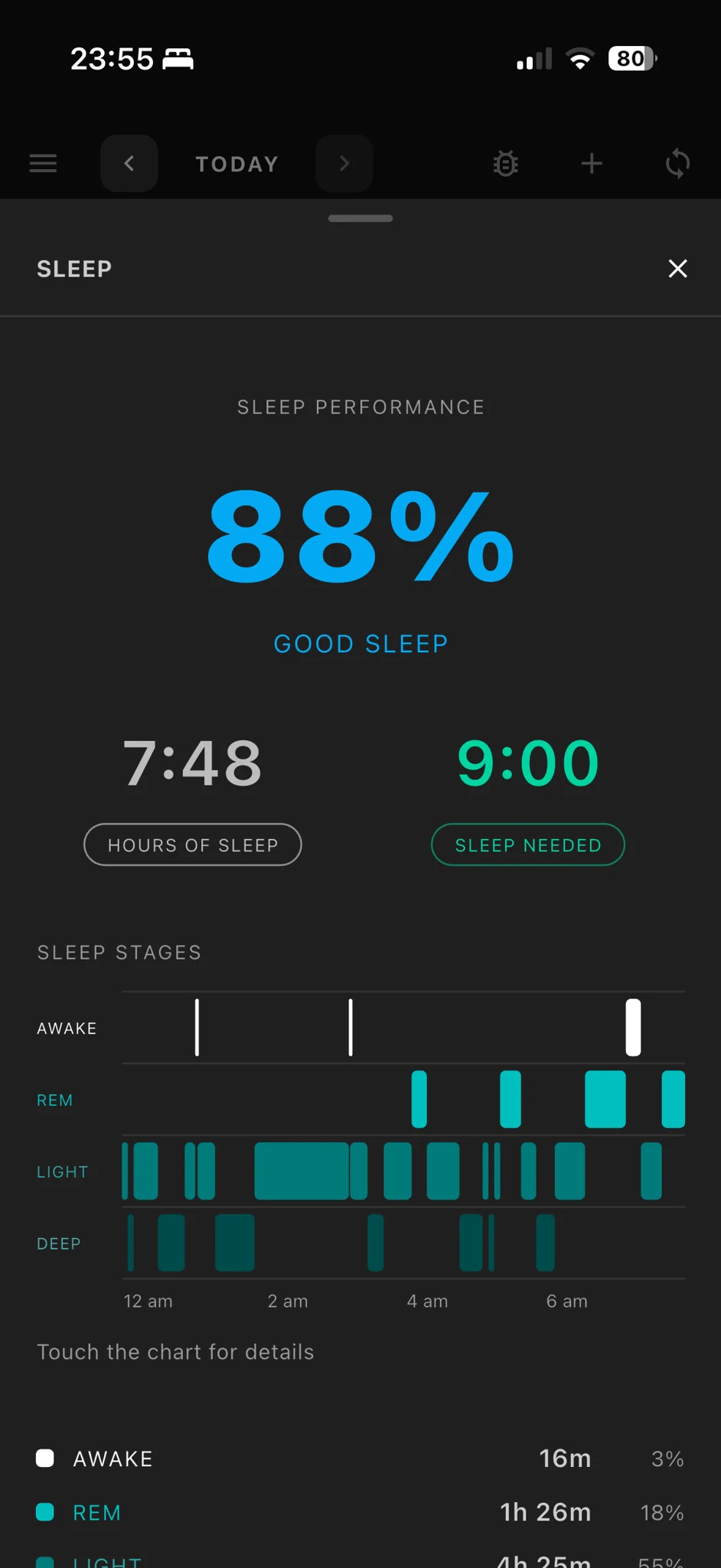
Sleep performance, time asleep and your sleep stages.
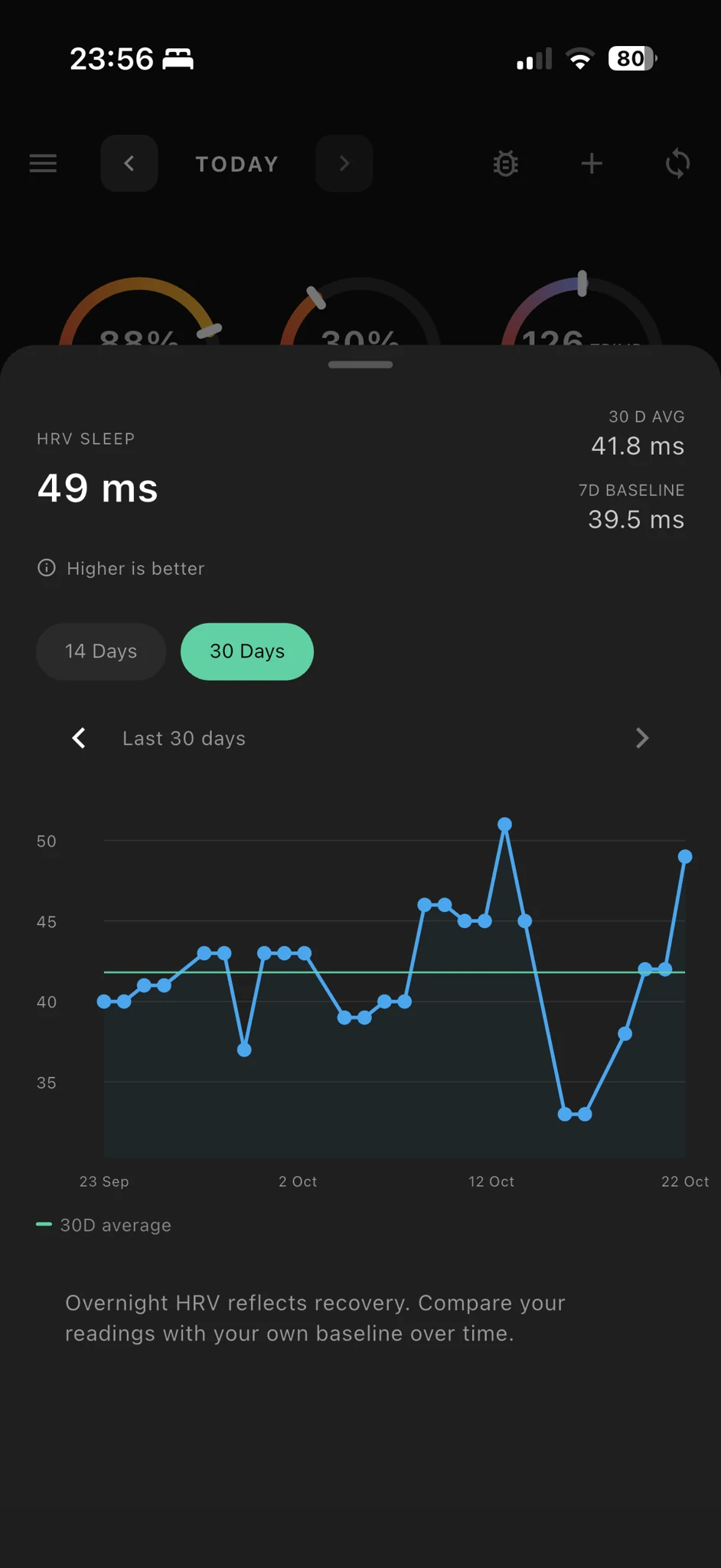
Compare your overnight HRV with your longer-term trends.
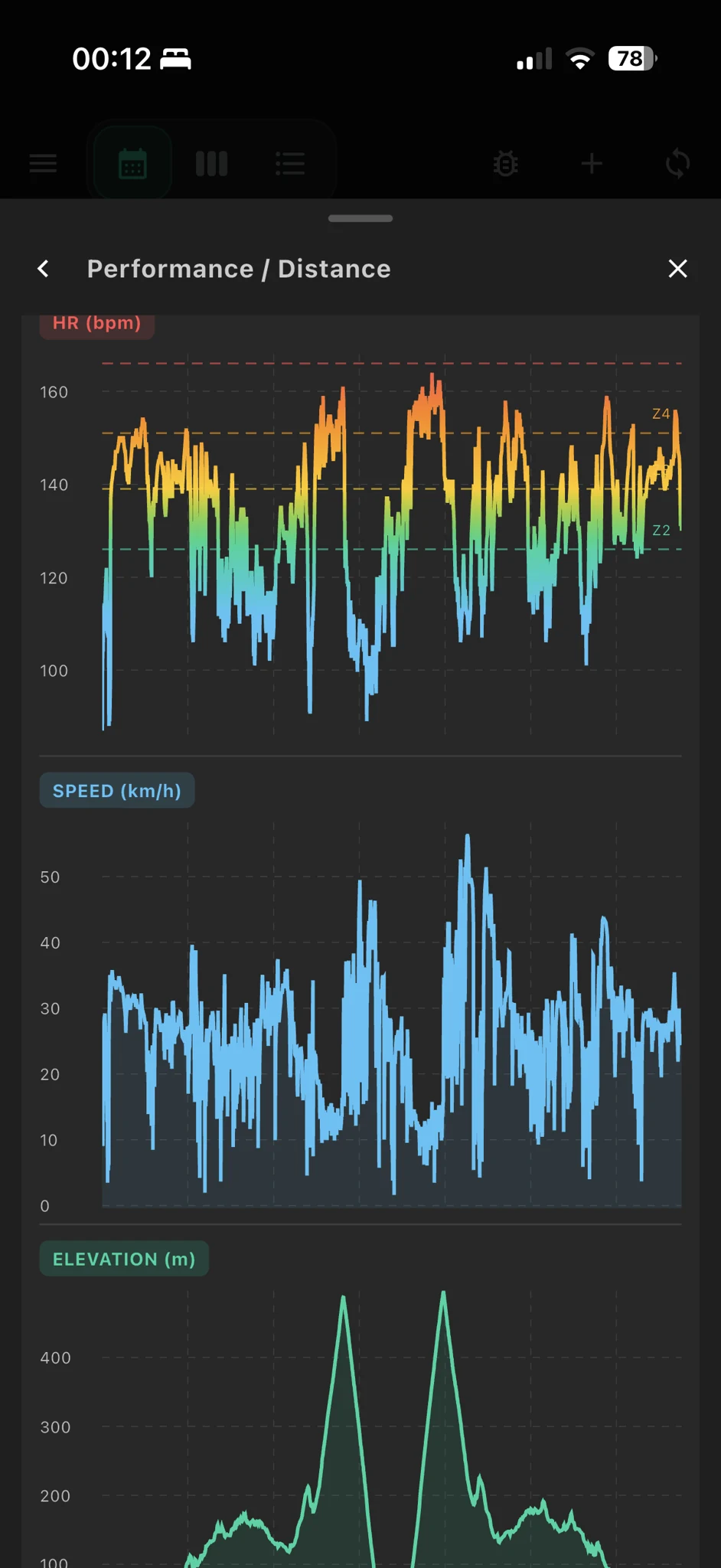
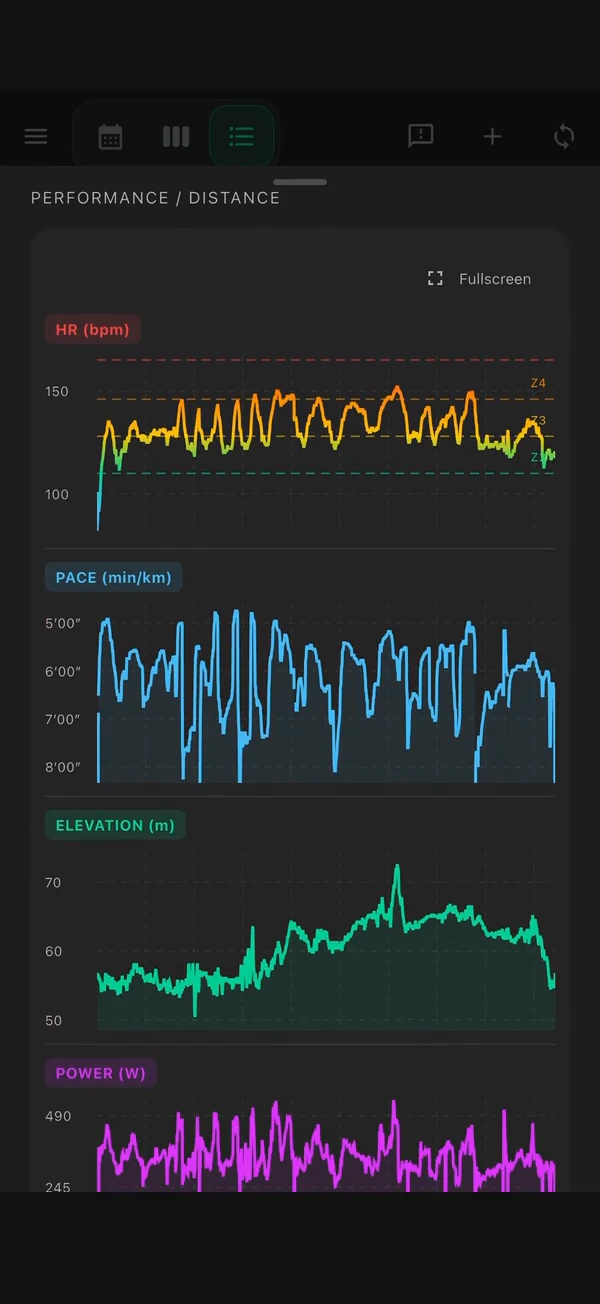
Explore heart rate zones, speed and elevation together.
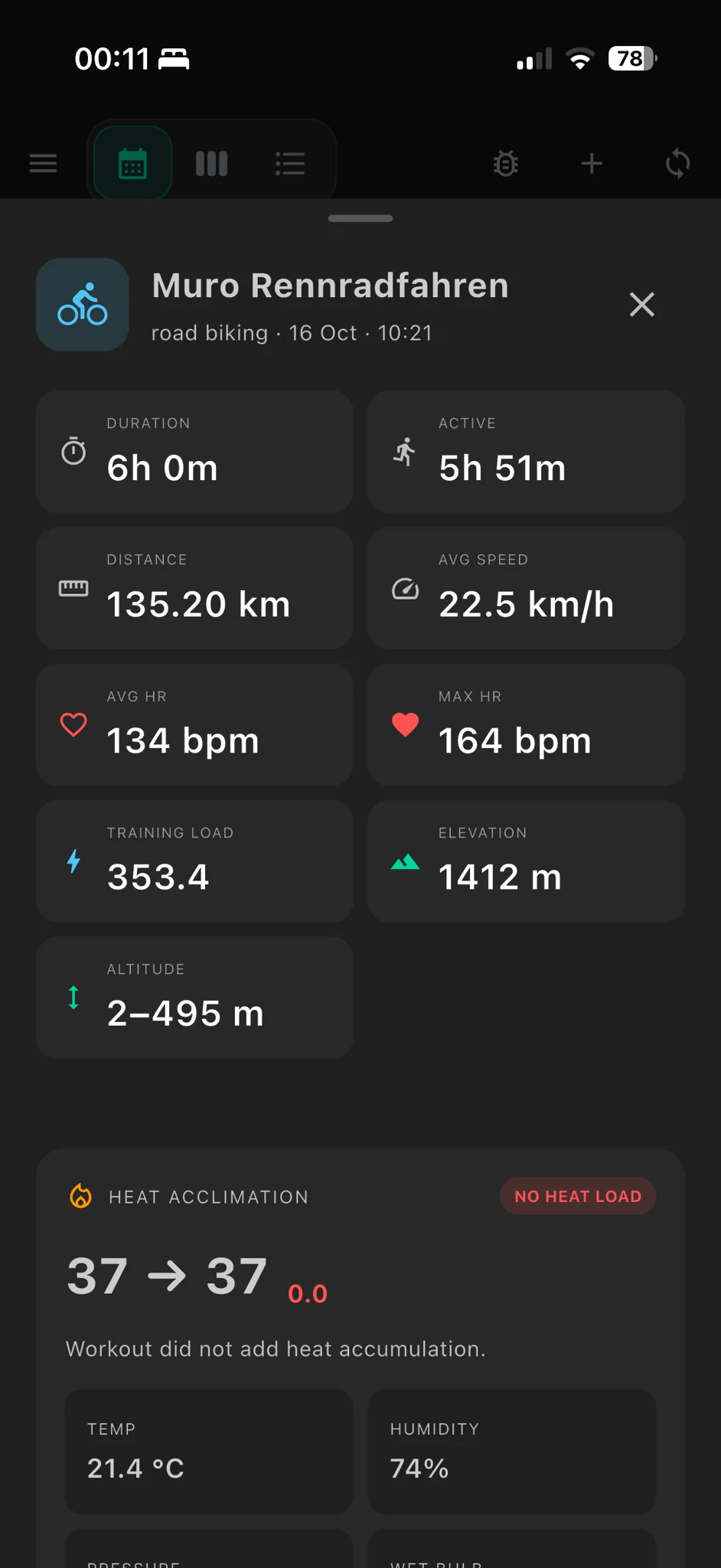
Distance, time, heart rate and training load in one view.
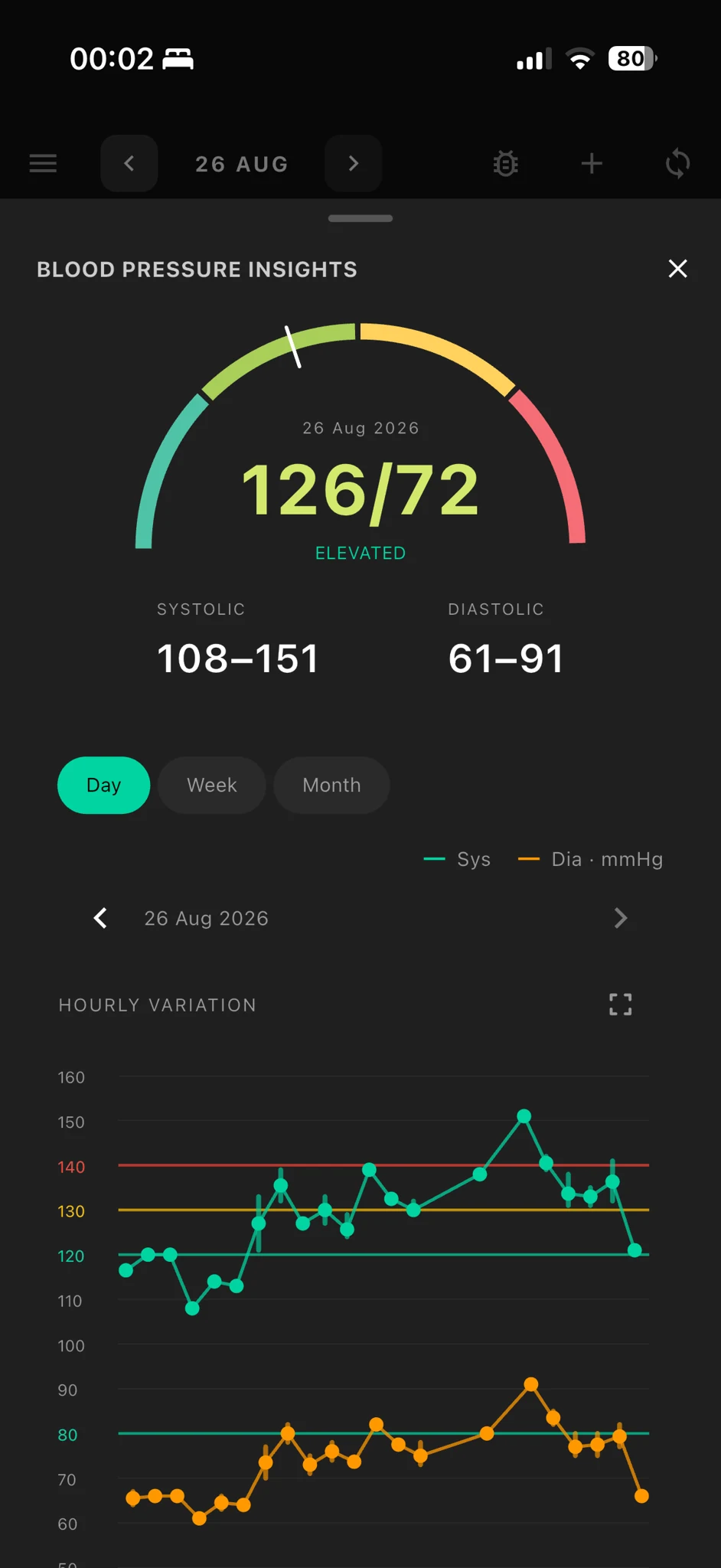
Review blood pressure over the day, week and month.
Screenshots show the developer’s own data from a beta version. Available features and measurements depend on your connected devices. Select a screenshot to enlarge it.
Connect the services you already use. Fjelia puts their data on one timeline and stores it on your device.
Health data is personal. Your Fjelia database stays on your phone. You choose the services you connect.
On compatible devices, the AI coach runs on-device with Apple Intelligence. A cloud AI is only used if you choose one, add your own key and agree to each transfer.
Names are trademarks of their respective owners. Fjelia is an independent project and is not affiliated with or endorsed by any of them.
Send supported planned sessions, including structured strength exercises, sets, reps and loads; watch recordings return to Fjelia and matching Gym logs are reconciled when recognized. Rep ranges, tempo and effort remain in Fjelia.
Import activities and push supported planned endurance workouts. Strength sharing provides an exercise list to enter in Polar; set details are not sent as a structured workout.
Connected accounts can receive supported planned endurance workouts and return activities. Strength sharing provides an exercise list to enter in COROS.
Workout details shown on the watch depend on provider and device support. Your planned strength session remains saved in Fjelia.
More activities Hiking, rowing, Nordic skiing and yoga also count towards your load and activity history.
Weather for your training
Compare forecasts and check wind, UV and rain radar before your next outdoor session.
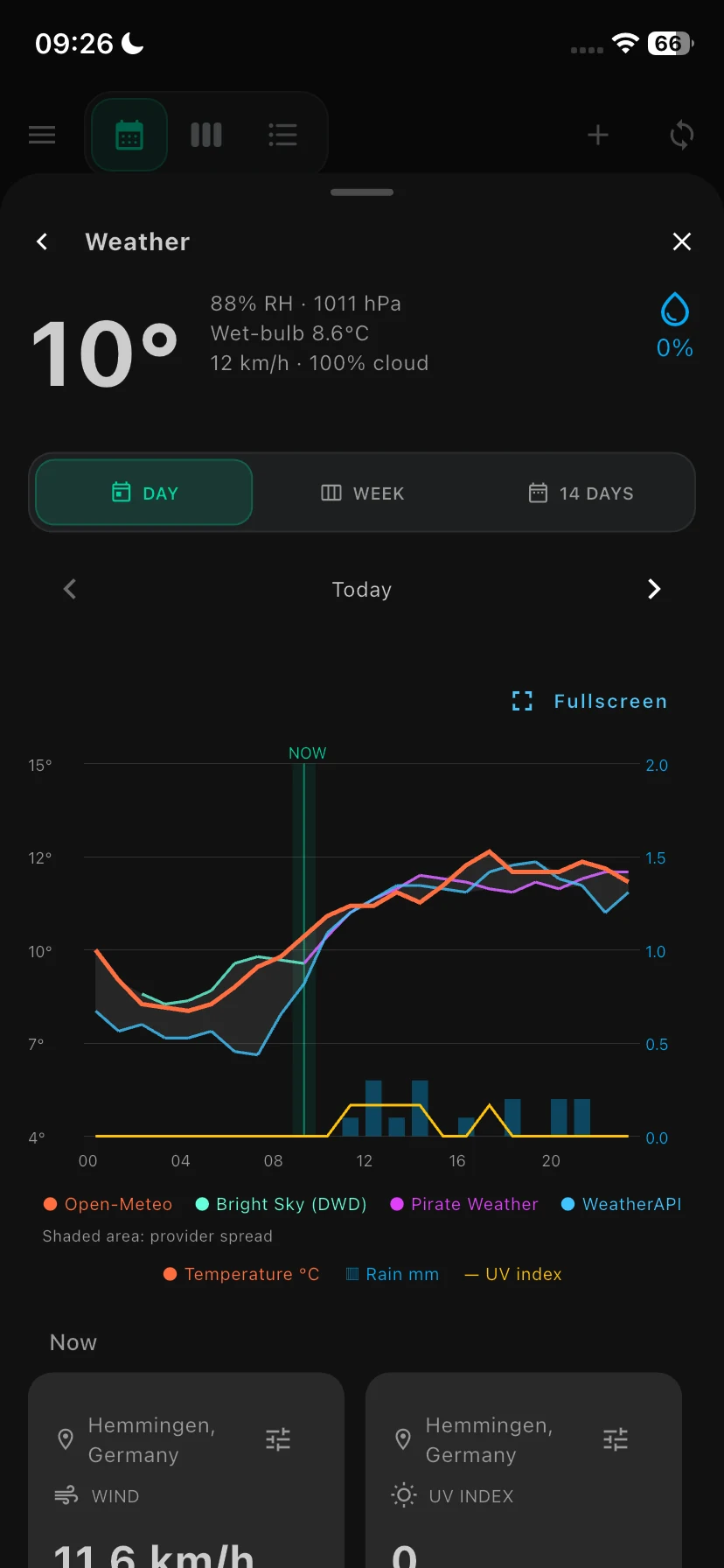
Compare hourly temperature and rain forecasts from several weather services.
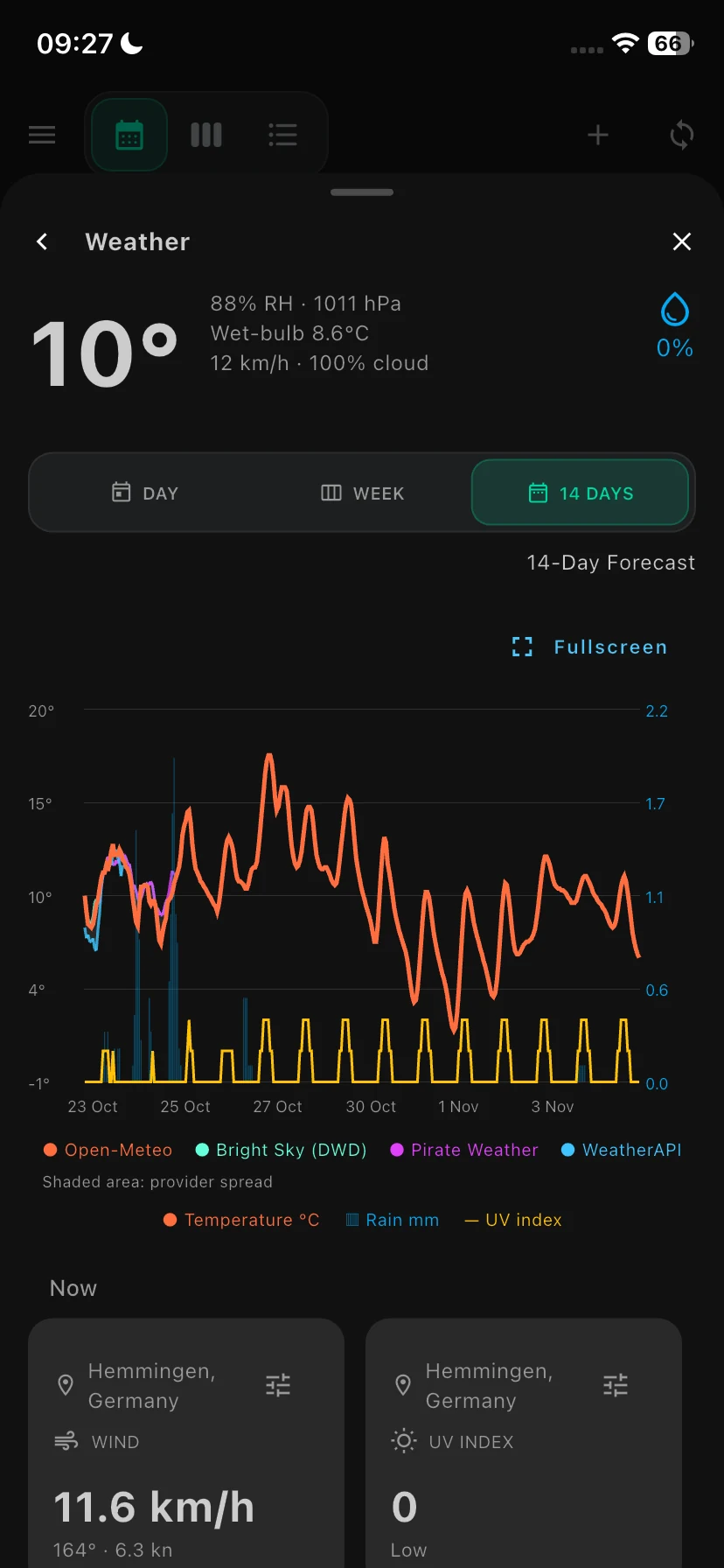
Check the 14-day outlook for your upcoming sessions.
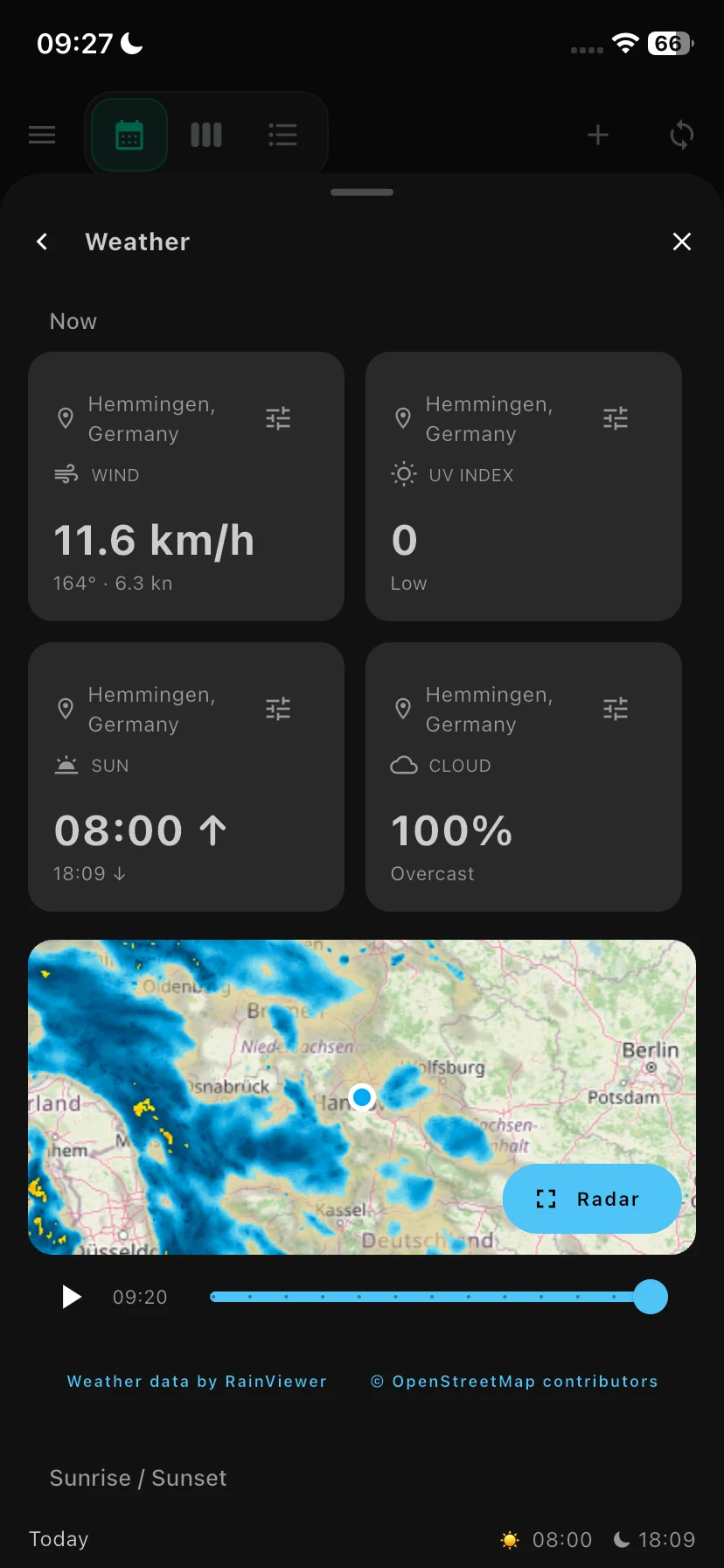
Rain radar, wind, cloud cover and sunrise times in one view.
Real app screenshots. Forecasts depend on the weather services enabled in the app. Radar imagery by RainViewer; map data © OpenStreetMap contributors.
Beta highlights · October 2026
Getting started
Fjelia is in public beta. Try it in your daily routine and help improve future releases.
Get Apple's free TestFlight app on your iPhone. It lets you install and update beta apps.
Open the beta invitation on your iPhone, accept it and install Fjelia through TestFlight.
Complete setup and choose Apple Health or a supported service. Allow the first sync time to bring in your history.
The app
Open the invitation to check the current iOS requirements.
On-device AI · optional
Needs a compatible iPhone, Apple Intelligence enabled and a supported language.
Training, health data and charts also work without AI. Optional cloud coaching uses your own API key.
Still in development. Your feedback helps us improve Fjelia.
Good to know
Answers to common questions about Fjelia.
The public beta is free. The source code is available under the GPL. If you use an optional cloud AI service, that provider may charge for requests made with your API key.
Open the TestFlight invitation to check whether the current version supports your iPhone. On-device AI coaching also requires an Apple Intelligence-compatible device with iOS 26 or later. Apple Intelligence must be enabled and set to a supported language.
No. You can connect Apple Health or supported services including Garmin, Polar, Suunto and COROS. Available metrics depend on what each device measures and each service shares. Some connections may be unavailable in a particular beta build.
Yes. You can view your synced health data, activities and training features without on-device AI. Optional cloud coaching requires a supported provider, your API key and your consent to send data.
Your database stays on your device. Connected services exchange data directly with your phone. Optional cloud coaching sends the context you approve to your selected provider. Weather and maps contact their providers when used. Read the full privacy policy.
Deleting Fjelia removes its local database. You can revoke service access and Apple Health permissions separately. Delete any backups or exports you created from wherever you saved them. Data held by connected services must be managed with those services.
Fjelia is for fitness and general wellness. It is not a medical device and does not diagnose or treat conditions. Discuss health concerns with a qualified healthcare professional.
Help shape Fjelia
Suggest a feature or a new device connection. Tell us how it would help you. Bug reports are welcome too.
Fjelia is licensed under the GNU General Public License, version 3 or later. Explore the code, build the app and help improve it.
Not a medical device. Recovery, readiness, blood-pressure and training values are informational and do not replace advice from a doctor. Some integrations are unofficial. Provider updates may affect syncing or availability.